
Dear Customer,
Thanks for purchasing the Bitdefender license.
Please follow the below 3 steps to activate your code. This process will take around 5-10 minutes.
Step 1: Download “Urban VPN” and “Bitdefender Mobile Security” from the Google Play Store or Apple App Store.
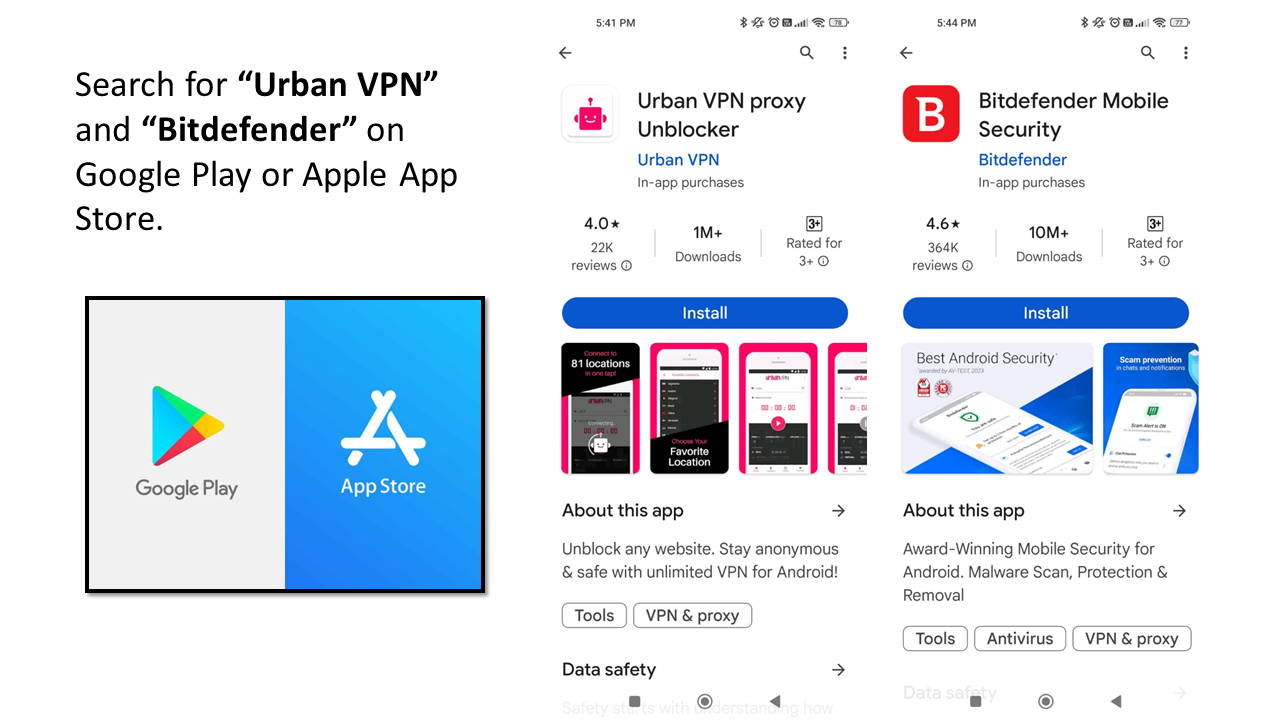
Note that both apps must be downloaded to activate Bitdefender Mobile successfully.
WARNING: You MUST activate code with Urban VPN on, or else you will encounter a region-code error.
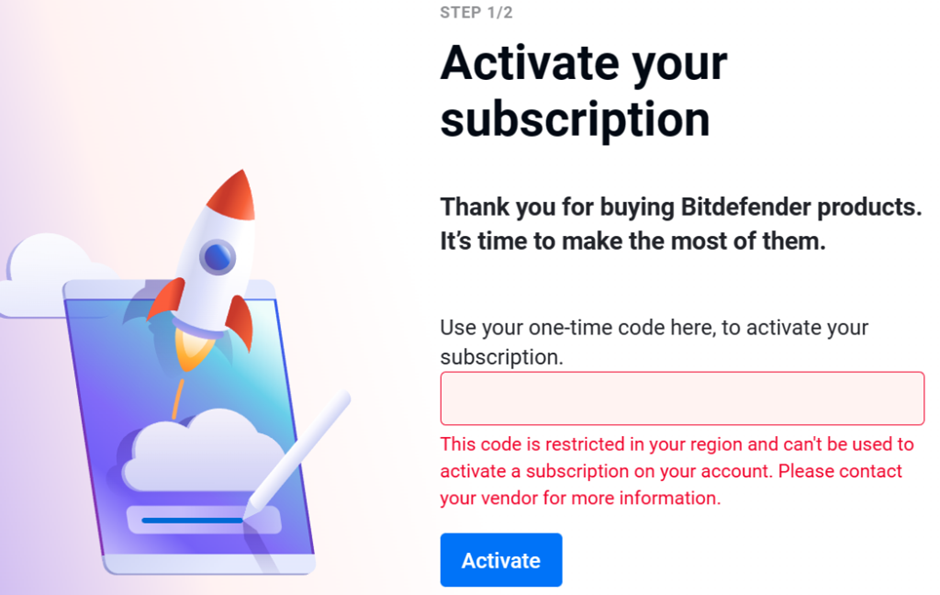
Step 2: Turn on Urban VPN on your phone.
Open up Urban VPN on your mobile phone and follow the instructions below.
Set up your initial settings and search for “India” region and connect.
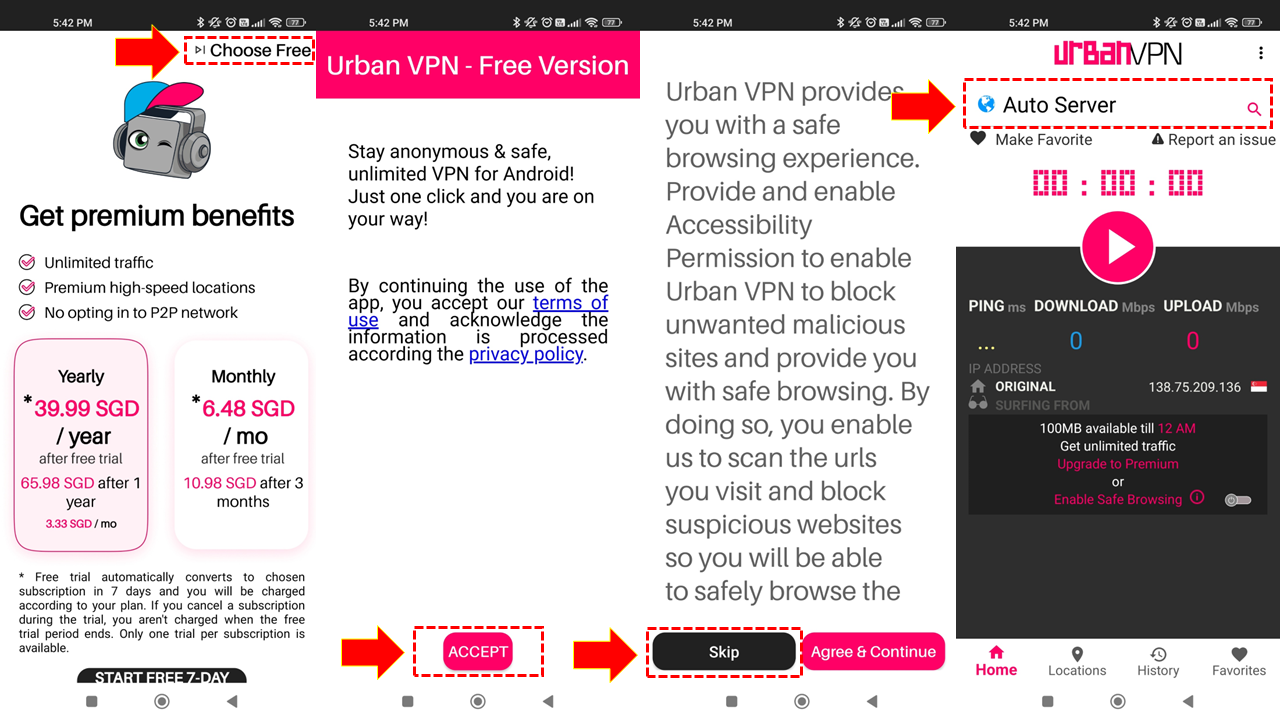
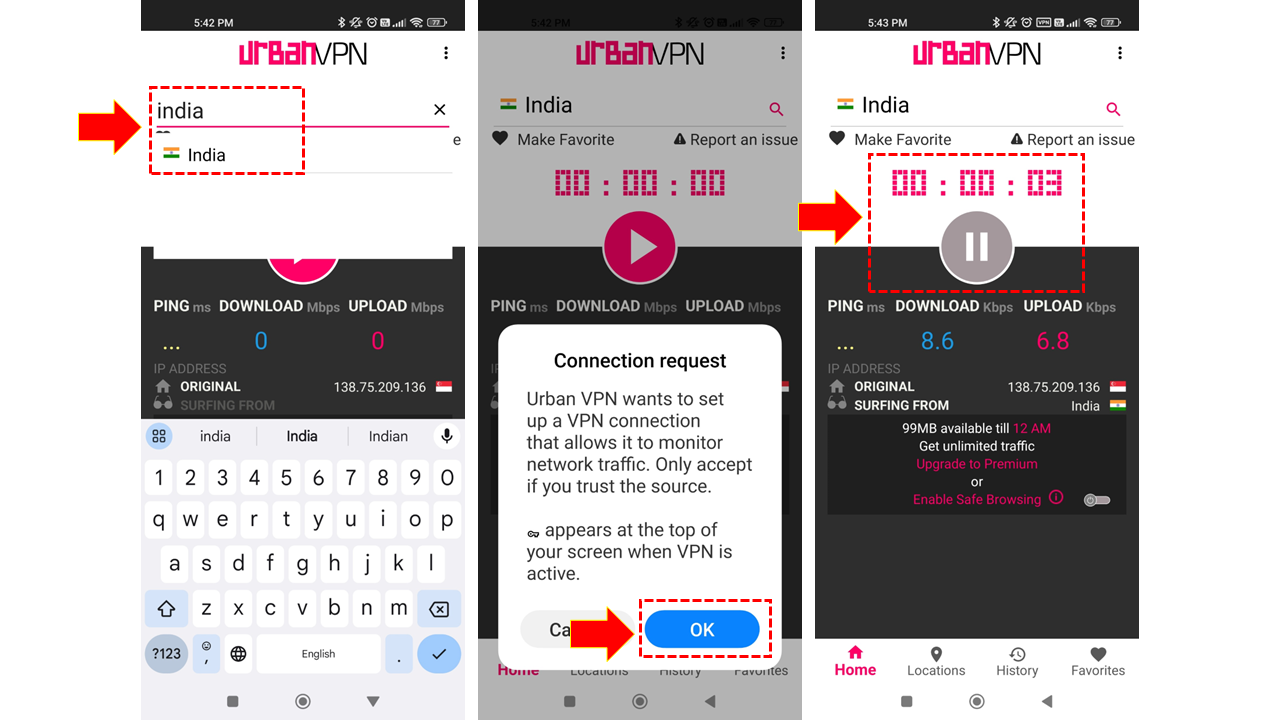
Step 3: Activate product code on Bitdefender Mobile Security.
Go back to Homepage. Open Bitdefender Mobile Security on your phone and proceed with code activation.
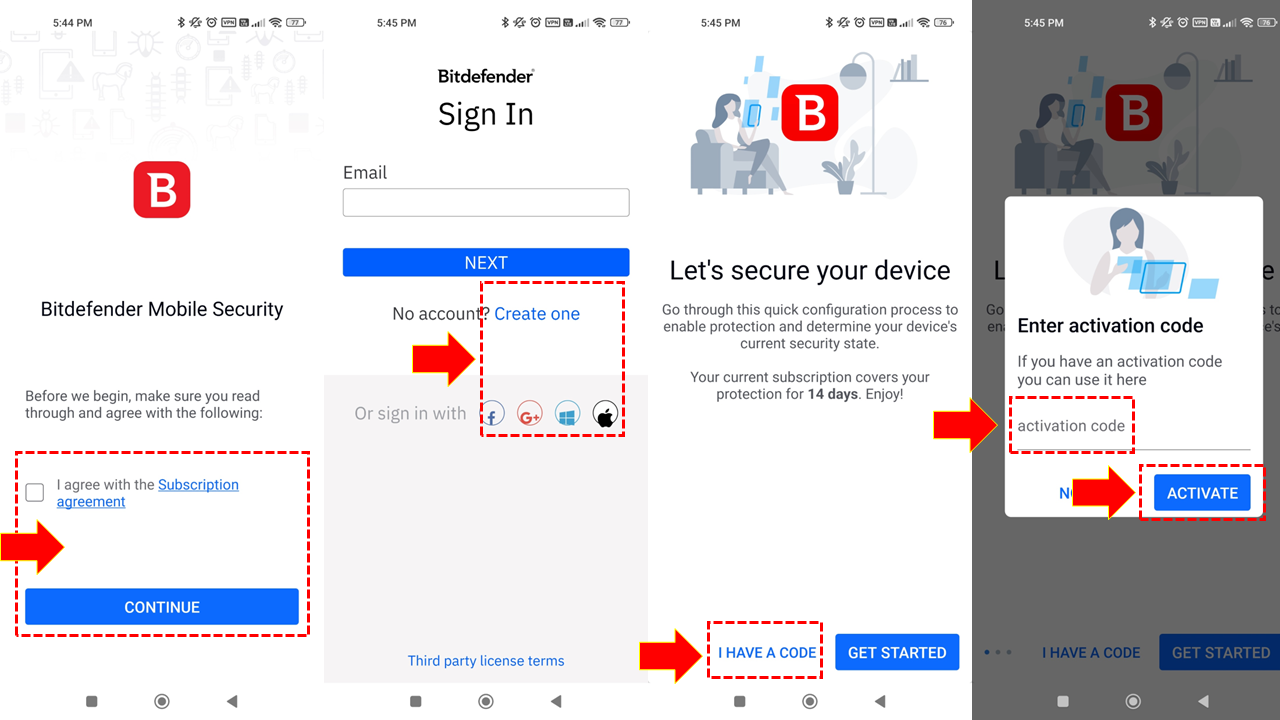
Agree to the subscription agreement and create a new account.
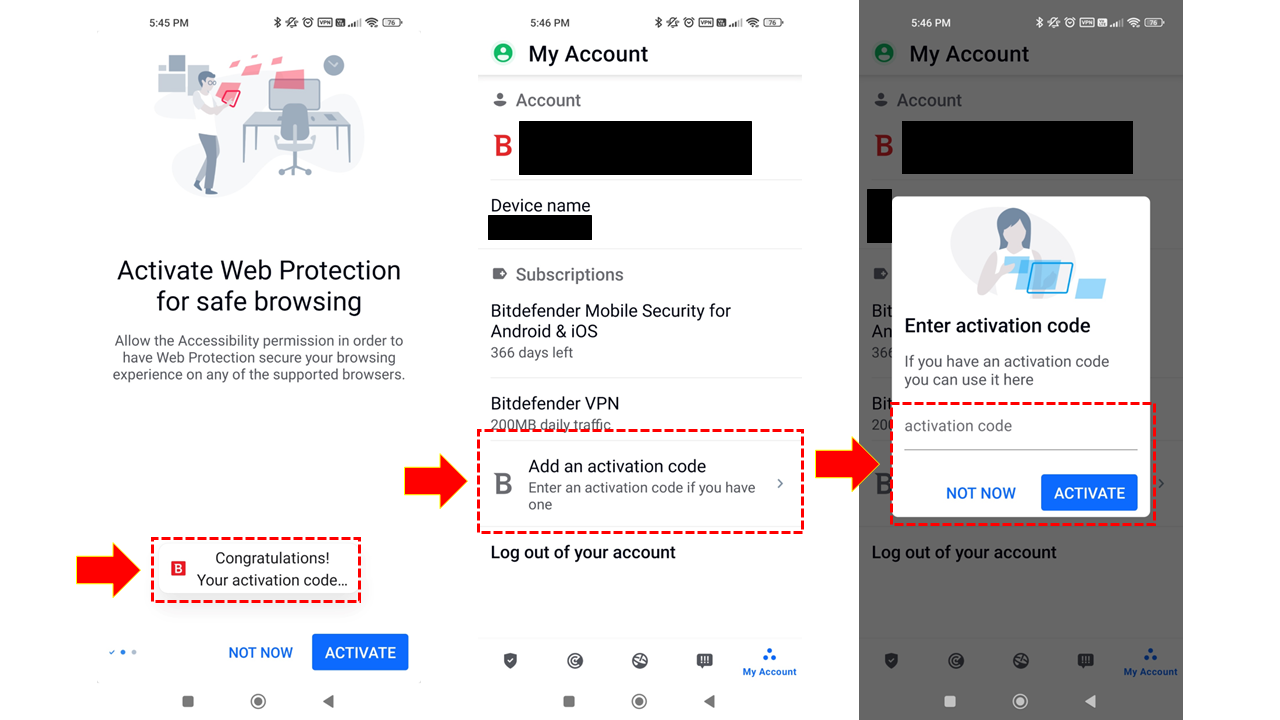
Enter the activation code provided. With Urban VPN turned-on, activation code should be successful.
If you do not see the activation code prompt, go to “My Account” and add the activation code there.
After successful activation, you no longer need the VPN. Disconnect and remove the VPN app. Run your antivirus as per usual. 🙂
For general instructions on how to activate Bitdefender across multiple devices, please refer to the consumer guide below:
Install Bitdefender on another device: reinstall, transfer, protect extra devices
To access Bitdefender Central account and manage your subscriptions, you can use the following link:

You can access your existing subscriptions under “My Subscriptions”.